@MajorMcDonalds
This is a feedback submitted by the players of DirectX 12 in my community. I will convey it to you.
First of all, in the past, developers did carry out several fixes for DirectX 12.
Just like some old bugs, the previous fixes have gradually deteriorated over time.
In the past, when some players used DirectX 12, the images on the screen would be rendered in a cold color scheme.
As shown in the figure:
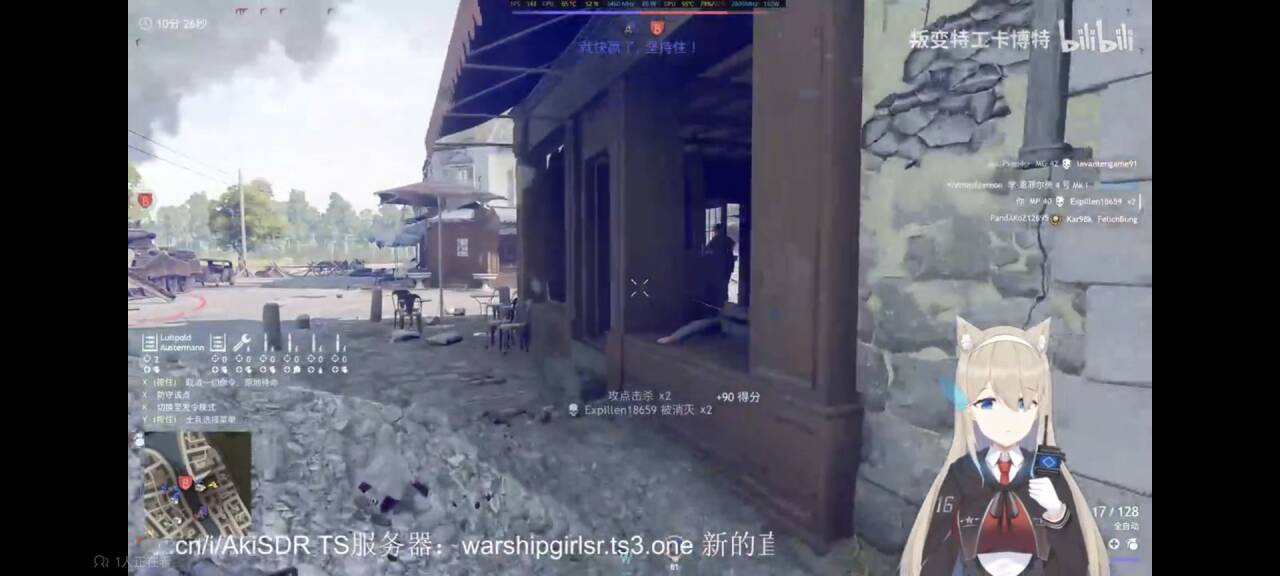
Although this might not be the most serious situation.
Because after the problem occurred for some time, the developers continuously carried out multiple fixes for it.
These restoration efforts were not completely ineffective.
On different players’ computers, some players are still using DirectX 12 and it is considered normal for them.
However, some of them have repeatedly exhibited the same bugs that they had before.
As shown in the figure:
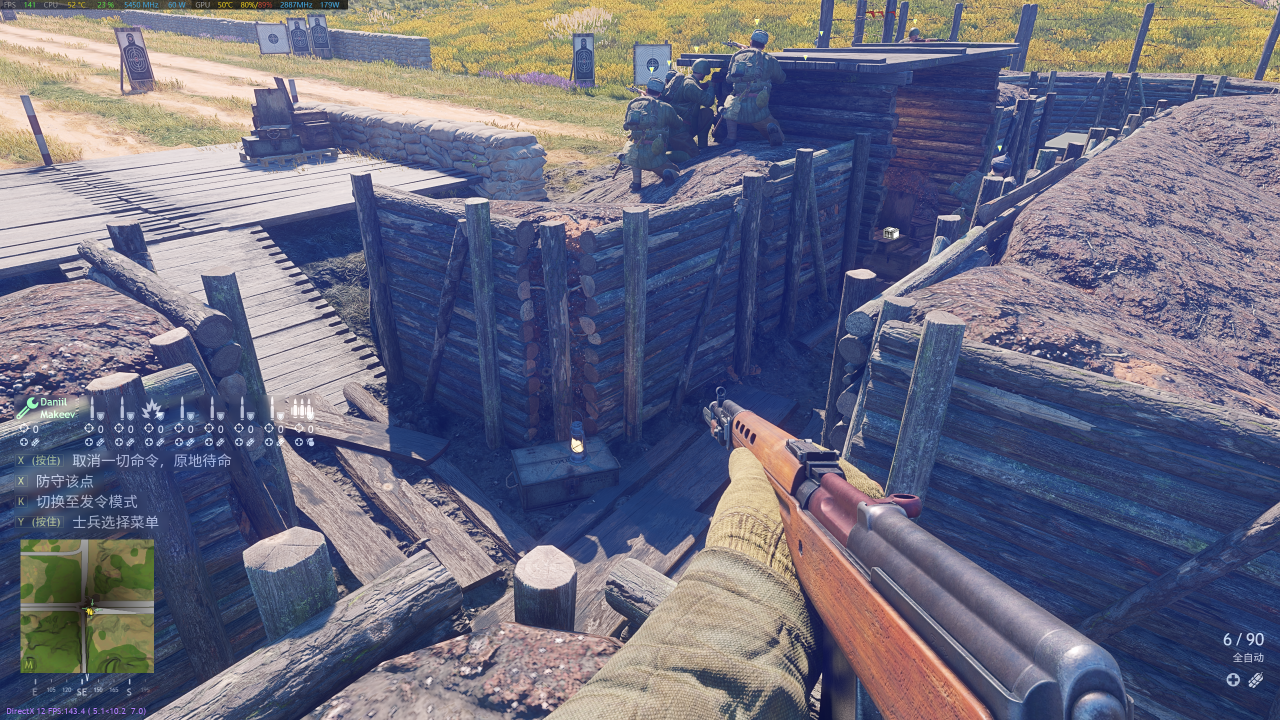
Now the same problem has reappeared, although the application of this cool color tone is somewhat less intense than before.
However, standing at the same position, turn your perspective by 180 degrees.
You will find that when the viewing angle is in the backlight position, the picture will return to normal.
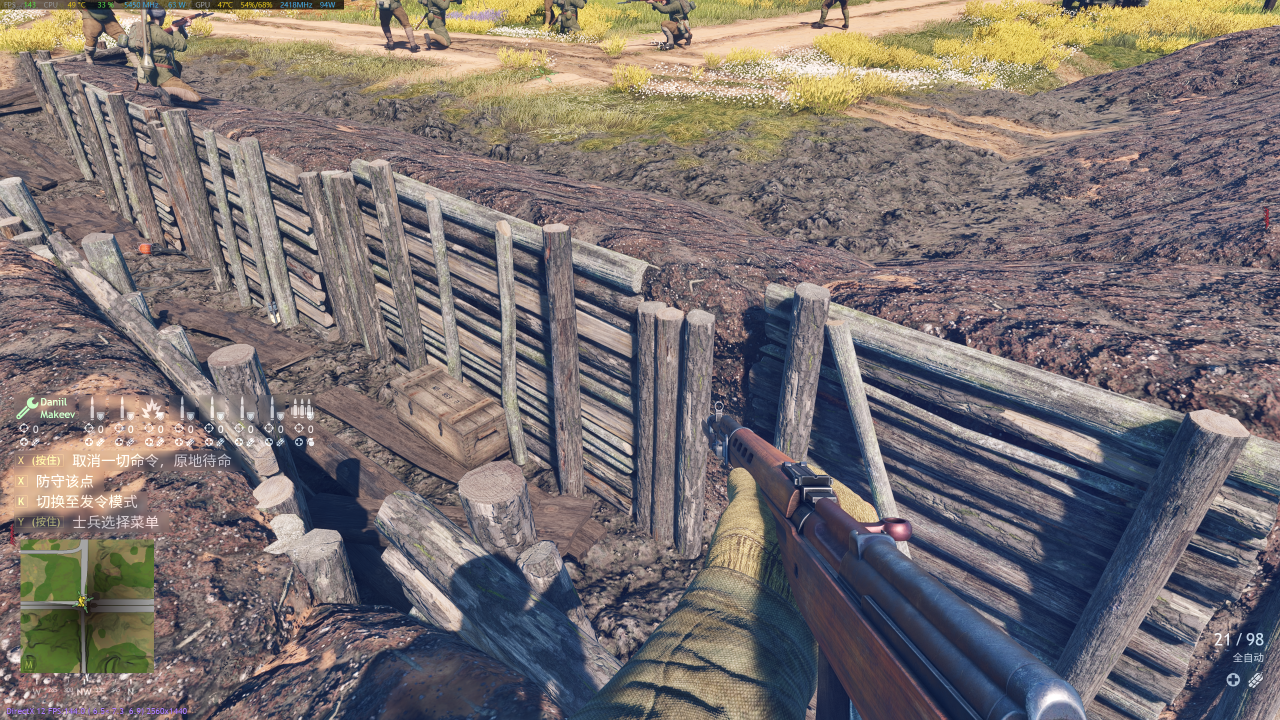
Turn it another 180 degrees and face towards the sun. The cool colors will once again be by the player’s side.
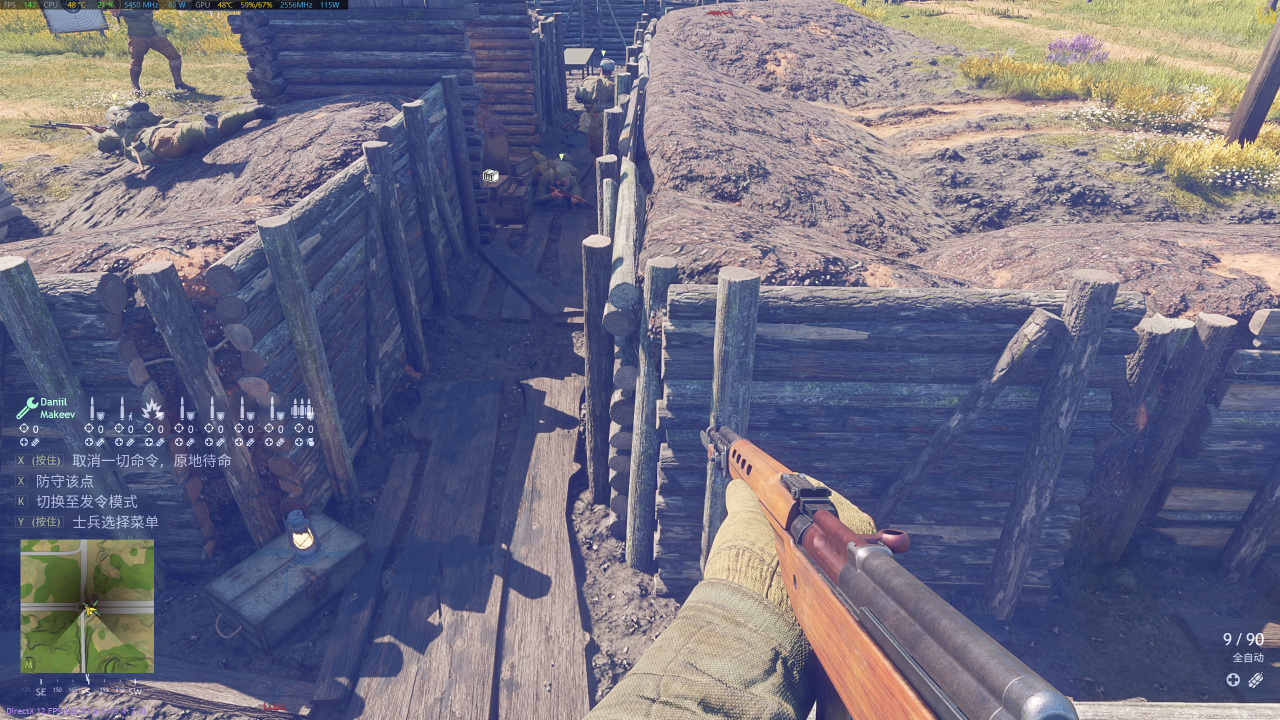
It is necessary to emphasize here that the players did not use any filter functions.
Just launch the game using the “DirectX 12” option through the client launcher.
These players who encountered problems were forced to use “DirectX 11” to play the game normally.
Yes, in the “DirectX 11” environment, the issues mentioned above do not exist.
If there is anything distinctive about the players who encountered this problem?
Perhaps, players using AMD graphics cards are more likely to encounter this problem when using DirectX 12.
Or, it could also be that the developers have not yet completed the adaptation of FidelityFX Super Resolution 3.1.4.
PS:
If other players encounter the same problem, and the blue color with a cold tone is very intense.
Then you can try to change the AMD graphics card driver version to 24.5.1.
This method might cause the frosty blue color on the screen to become somewhat diluted.
Alternatively, you need to select DirectX 11 on the startup interface.
PS:
For virtual hosts, the “enlisted” function places a heavy burden on the GPU.
Therefore, these vTubers (using AMD graphics cards instead of mid-to-high-end NVIDIA cards) may be forced to use the integrated graphics cards of CPU cores to handle the motion capture technology, leaving enough GPU space for Enlited games to avoid conflicts during live streaming.
(Using the AMD 7900XT as an example)
PS:
If you are interested in the Vtuber mentioned in the above content, then please click the hyperlink below.
The Vtuber Personal Homepage
