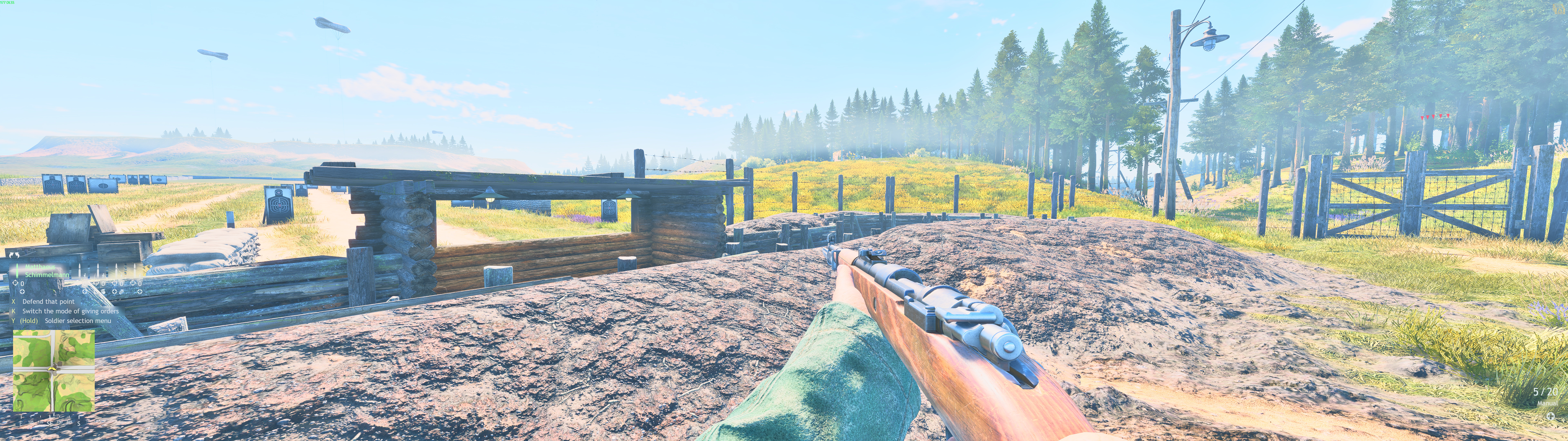
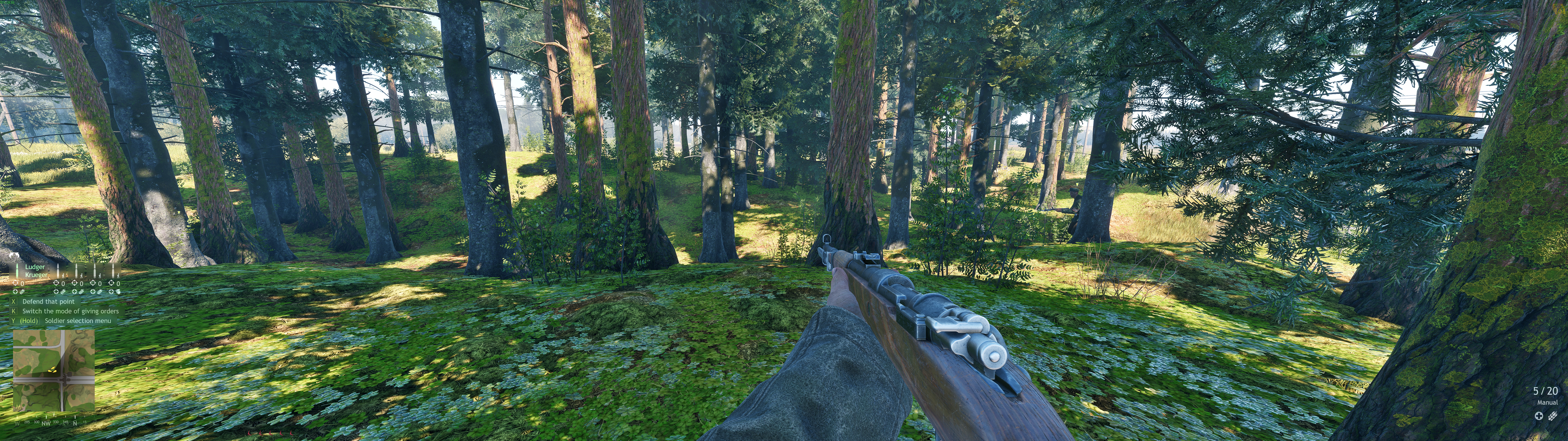
Please give us an option for a “safe area” or “safe zone” for the HUD at the very least to let us bring it closer to the center of the screen, it is a really bad experience having to look so far to obtain important information. Many other games already have this feature, including War Thunder! Important elements remain centered on the screen.
Here is what the HUD looks like on my screen:
An even better option than just a “set it and forget” safe area is allowing us to customize the HUD, such as moving, scaling, and even hiding individual elements. An example of this can be seen here: Immersive HUD Layout Customization | ArmA 3
Windows snipping tool even with HDR color correction still butchered the image, here’s one with HDR off.
well your fault for getting ultra wide monitor 
you can use print screen and it will save screenshot in enlisted/screenshot folder
Not talking bad about ultrawide monitors, and not something I have experience with. But I do think being able to move UI elements is a good call. I wasn’t aware that the game ever included this, and this is multiple years of playing. If it existed once I think it needs to be re-implemented, especially because it doesn’t affect the overall game experience negatively and allows the player to fine-tune everything the way they prefer it. Let’s take division resurgence for example, (yes I know crappy Ubisoft game on mobile) at least on that game they allow you to move UI elements to wherever you want on screen, they also will allow you to turn certain things off if you don’t want them on screen. such as your squad information, interaction buttons, the map, timers, mission objectives, weapon information and ammo, etc.
These are all things that could function identically in that same framework through enlisted, and create a customizable setup that’s more clear and concise depending on how you have it set up on screen.