[quote=“CmdrLevi, post:41, topic:178590”]
I could be wrong… it looks like when I play at na server, it sometimes feels like I allocated another like eu… russia… which I didn’t choosed
you are having trifecta of problems. your computer is causing fps problems, your network has high latency and server are sometimes overloaded. any of this will cause you issue and you have all 3 of them.
you said my computer is causing fps problem… but
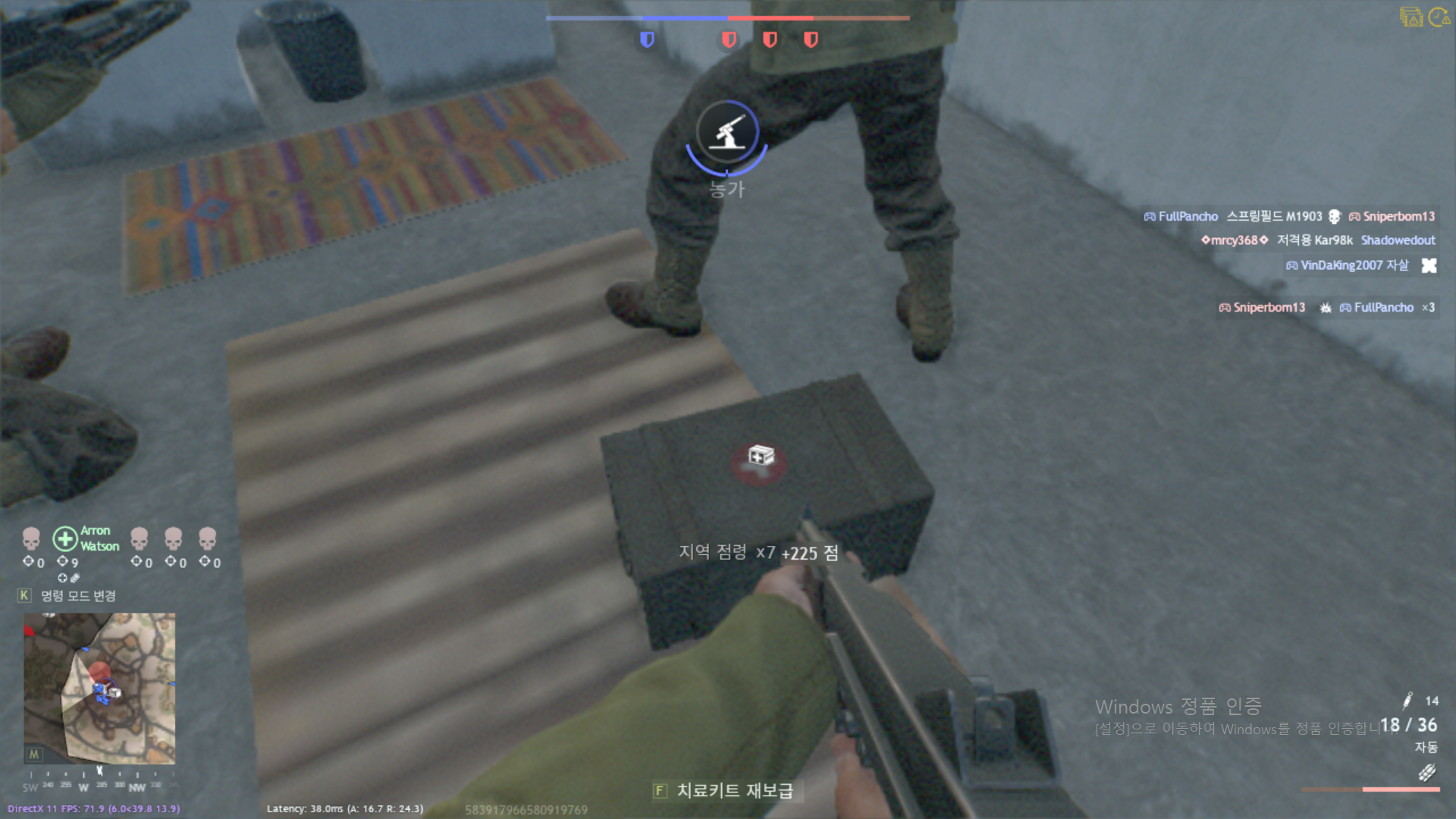
before I said, I’m not professional with this… so when I had a low latency, I had high fps.
here is the screenshots.
And the reply before you said,
this computer is enough to play the game too.
fps problem comes with the high latency so… may be solve the latency and server problem, fps will not be problem.
but i can not understand… how could I lower latency??
Although it is wifi connection, I have a 5g internet connection speed is about 380m/s,… and it is
very stable. So I thought it would be fine… is there a possibility I am wrong?
i misspoke there. i shouldnt have said computer, but CPU. your computer still sucks cause you have low end CPU, low end GPU and minimum RAM. you can get ok average fps, but you will still have problems on specific scenes when there is intense calculation and your minimum fps tanks.
generally fps and latency are not connected. in theory it could potentially be the problem if server had massive desync with you and you got massive amount of packets in short time and your CPU had problem calculating them giving you bad performance.
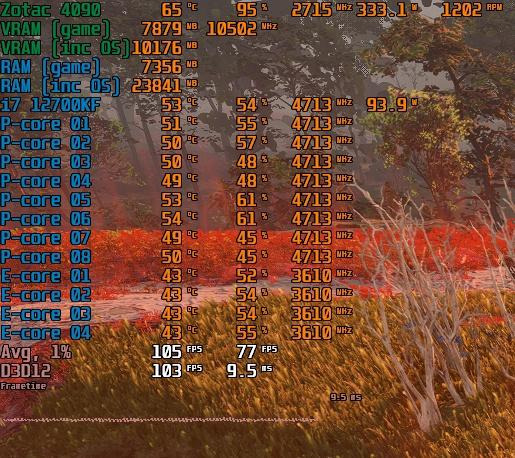
you would need to research what is happening with your network and with your computer to see where is the problem. download “MSI afterburner” and get fps overlay enabled. you can see system stats while you are in game and what is causing the fps drop(CPU, GPU, VRAM or RAM).
wifi is much worse than ethernet and 5G is much worse than DSL/optical for stability. speed of internet is not indicator of its stability. wireless connections are sensitive to interference from various sources, so someone turning on microwave was known to drop connection to some people.
anyways easy test for network stability is to open cmd and type “ping google.com /n 3000” while playing the game. you will see average, minimum and maximum latency as well as % of dropped packets. if here is big oscillation between average and maximum latency or you have dropped packets, then your connection has problem with stability.
2 Likes
ok,… I really appreciate for your help.
it’s too late to me to do these things… so I will check things you said later morning.
really thank you.
I9 12900K 3200mhz 16 core 24 logic processor
64 GB Ram
Nivida RTX 3090 Ti
I have a ton of problems with the game, and I have a 1gig up/down fiber connection that is flawless.
The game used to be very reliable, not any more every game there is lag so bad it freezes the game at least once during play.
My system is hard wired, not Wifi.
1 Like

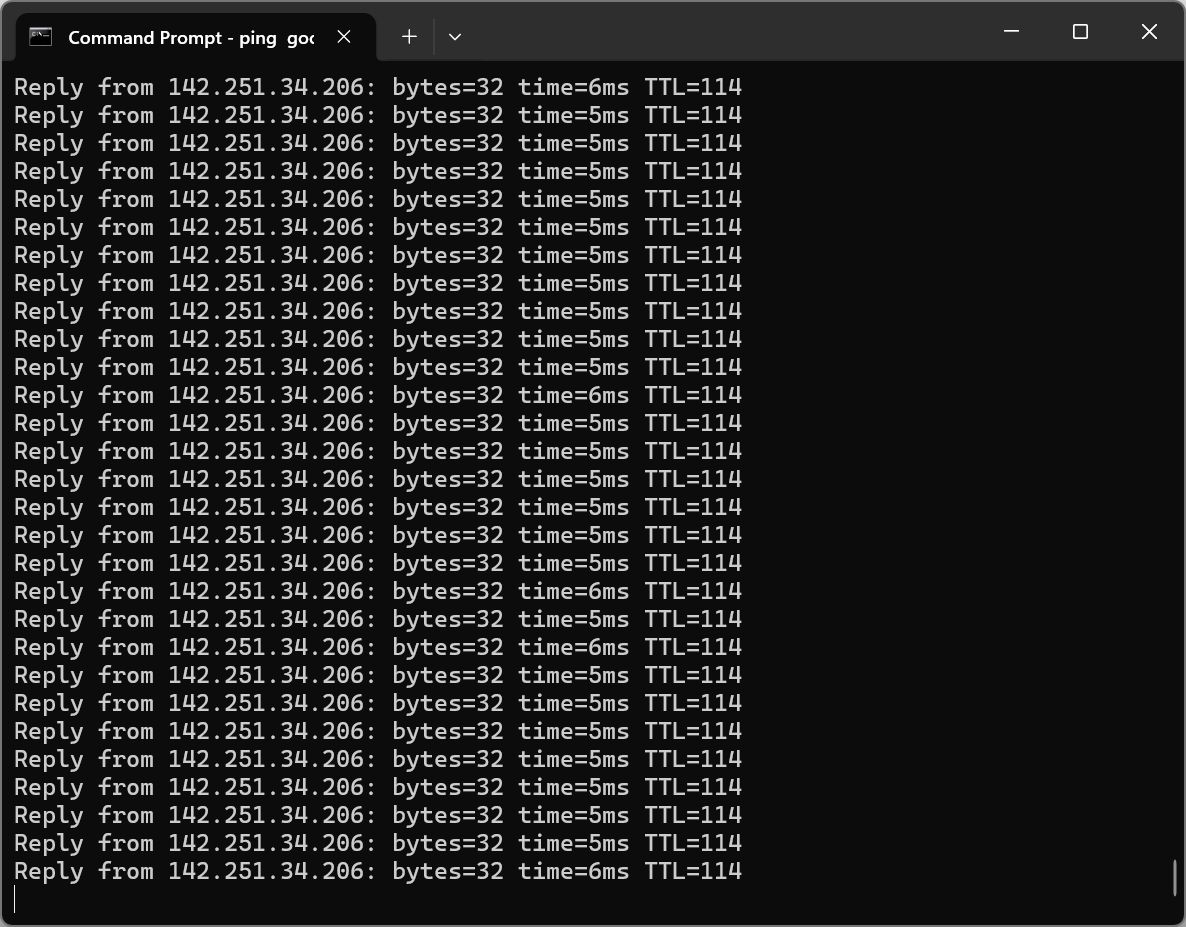
goal is not to see your ping to google, but stability of the connection. you are searching for lostpackets and oscillations in ping(high maximum value compared to average).
you can press ctrl+c to abort and get you summary.
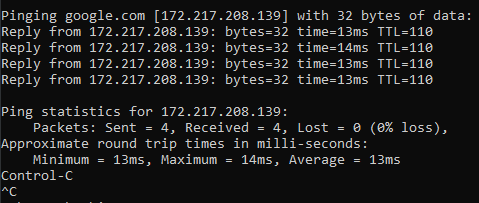
my average is 13ms, but if i had e.g. 500ms maximum or lost packets it would imply that my connection was bad when i had lags. if i had normal connection to google when i had ingame lags then it means my net is good(at least between me and isp).
you need ctrl+shift+N while in match and during lag screenshot that info.
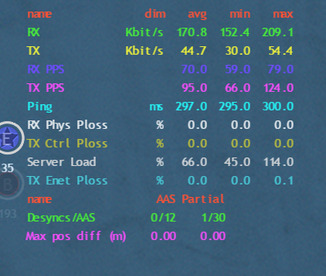
lag can be due to server overload or it can be due to bad isp connection or due to bad router between you and server
if you are having fps issues, then screenshot of MSI afterburner overlay can give clue to what is happening.
1 Like
I have two screens when I play the game on the other I use for discord whatever while I’m playing So I had that window open the one I took the screenshot of during the entire session and it was running continuously generating line after line after line.
The second screenshot is a screenshot of when I had the problem and as you can tell there’s basically no difference.
And I was keeping an eye on it the entire time I was playing the match and as far as I could tell there was really no difference at all.
But I don’t pretend to really fully understand this so if there’s more to it than that then I will try what you suggest above and see if I can come U with something I think the thing that’s kind of bothering me with this is that it only is happening with enlisted not with any of the other games I play war Thunder plays smoothly and so does Star Citizen
And it only has started happening to me since they came out with the last patch in enlisted
Most internet cafes use shared networks, which might not be as fast as your dedicated line. However, if you want to experience high-quality graphics, I still recommend going to an internet cafe. After all, computers are consumables, and you need to upgrade your hardware every few years. It’s more cost-effective to spend money to rent a computer at an internet cafe.
Finally, try to avoid using Wi-Fi to play Enlisted. Wi-Fi speeds are less stable than wired connections, and Wi-Fi speeds can fluctuate, making it unsuitable for online gaming.
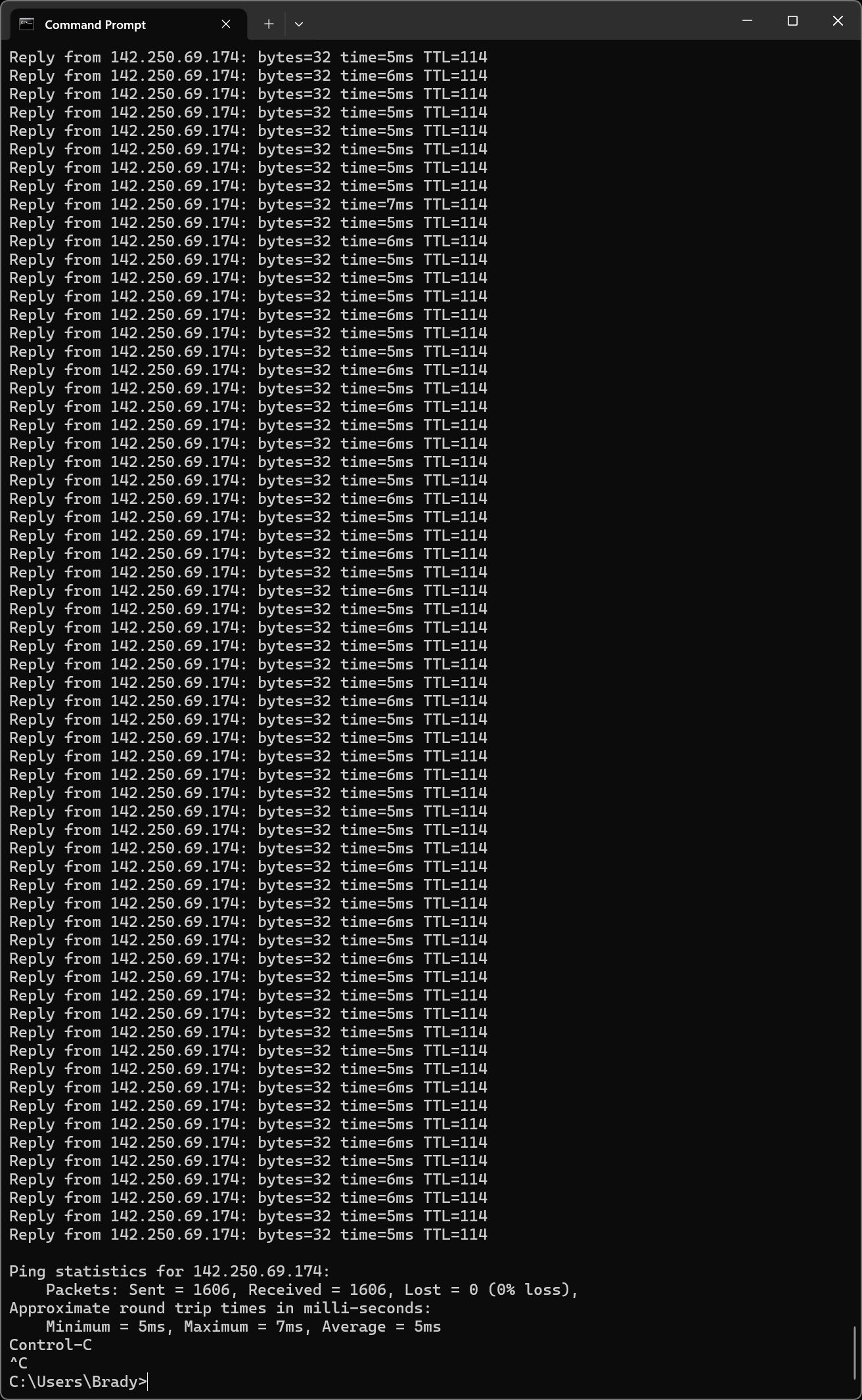
this is good stable connection at the time of measurement, but it doesnt mean it is good all the time. it is best to run these tests concurrently and when lag happens, then check all of them at the same time.
i am 90% certain it happens cause of game servers, but it is good to exclude everything.
1 Like