Sound Mod News Center
This topic aims to provide update information for sound modders, so they can update their mods accordingly.
The folder *.assets shown in changelogs represents the .assets.bank files the sound belongs to.
You should update your mods accordingly whenever a sound is added or removed, as they most definitely changes the order and messes up your mod.
Powered-by: The Enlisted Modders Community
(Hopefully I will be able to post stuff on here when game updates every time, because the stupid 2 battles per week thing is annoying)
11 Likes
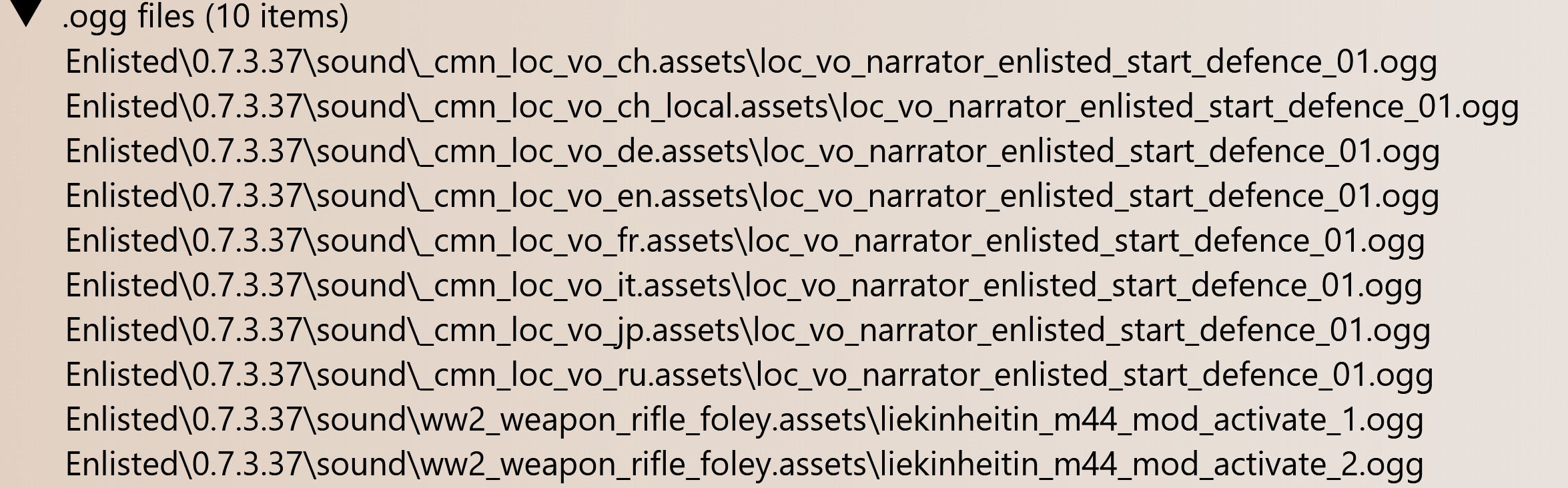
Update 0.7.3.37 (open-dev)
New
You can click on the play button to listen to the sounds
Ignore the message about browser doesn’t support the codec
_cmn_loc_vo_ch_local
_cmn_loc_vo_ch_local
_cmn_loc_vo_de
_cmn_loc_vo_en
_cmn_loc_vo_fr
_cmn_loc_vo_it
_cmn_loc_vo_jp
_cmn_loc_vo_ru
ww2_weapon_rifle_foley
Removed: None
Modified: None
Note: these changes are not yet applied to live server client as of now, so you might want to stay tuned to this topic if your mod includes any of the above .assets.banks
2 Likes
Update 0.7.3.52
New:
None
Removed:
None
Modified:
None
You may refer to comment #2 to update your sound mods now!
1 Like
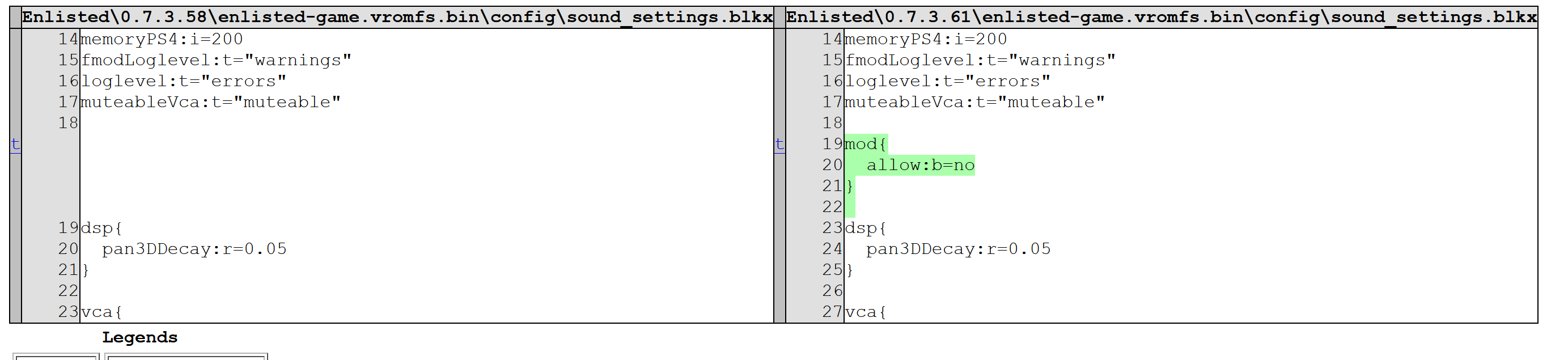
Update 0.7.3.61 - Sound Mod Unavailable!
Developers added a block in sound_settings.blk, which force disable any client side sound mod
This is probably temporary, but before they change it back, all sound mods will not load into the game
Edit: Reason is in news
Commanders, outdated versions of sound modifications can cause performance issues and in some cases may even lead to game crashes. Players themselves have no way of identifying that the problem lies in one of their installed sound modifications.

At the moment, we are trying to find a solution that will allow us to detect malfunctioning modifications on the client side before they can cause any issues.

Until such a solution is found, we are forced to disable sound modifications. We hope that you understand our decision.
To receive immediate updates on this, feel free to join our community with link at post 1
2 Likes
Update 0.7.4.1x (April Fools update)
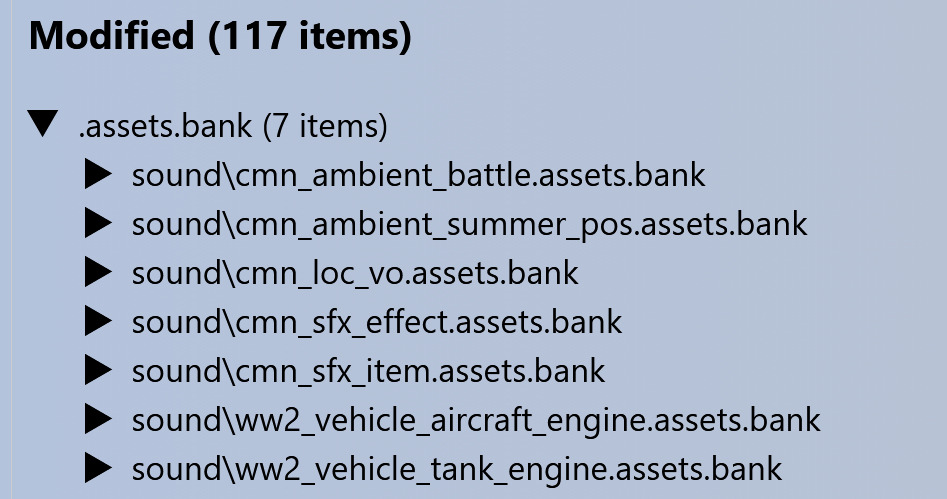
Modified sounds bank files:
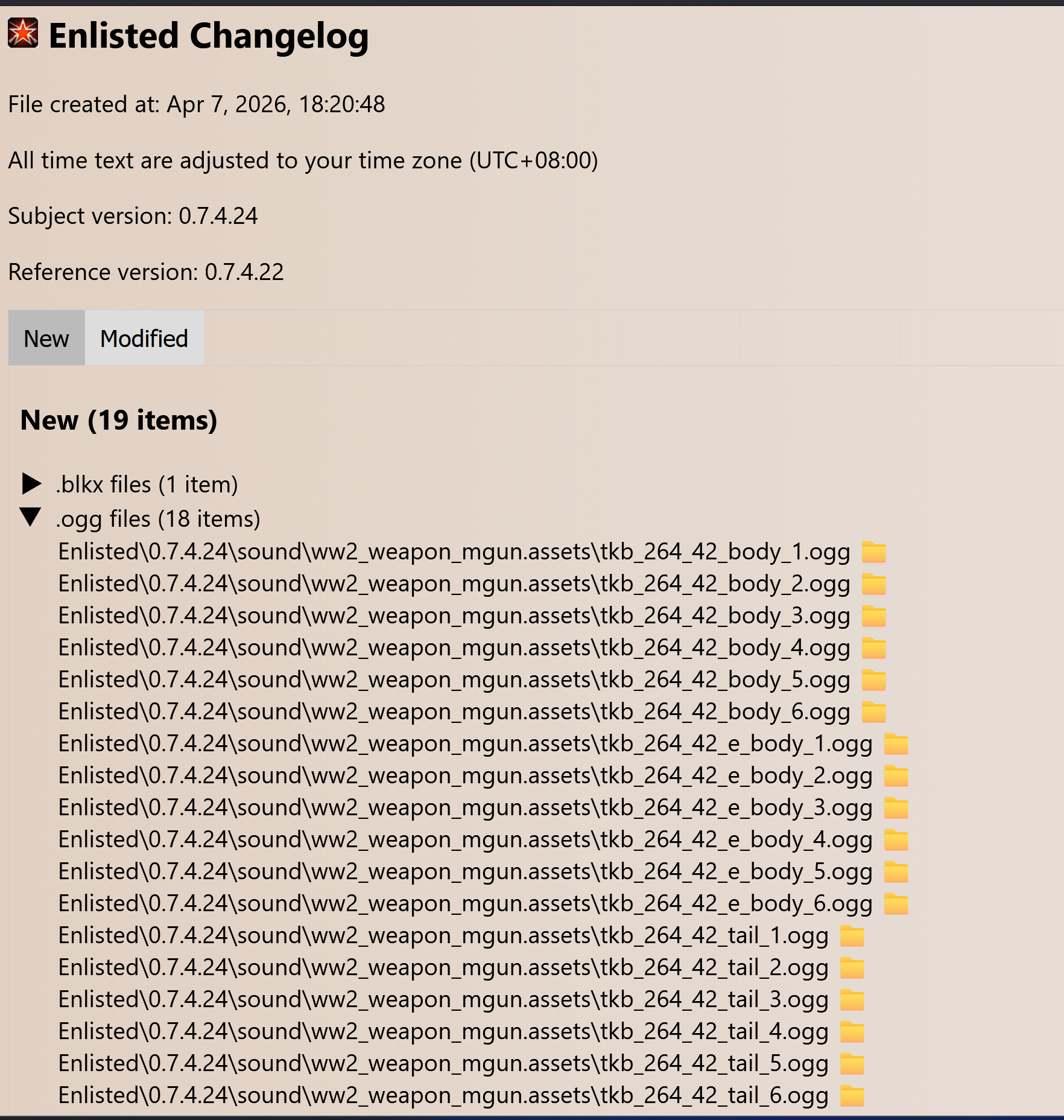
Update 0.7.4.24 (Battlepass update)
(Since sound mods are not available at the moment, I will not post the list of changed files for now)
(An overall changelog from 0.7.3.61 to whatever version sound mods get enabled again will be posted when it happens!)
Update on Sound Mod Disable Status

Via: Enlisted Modders Community
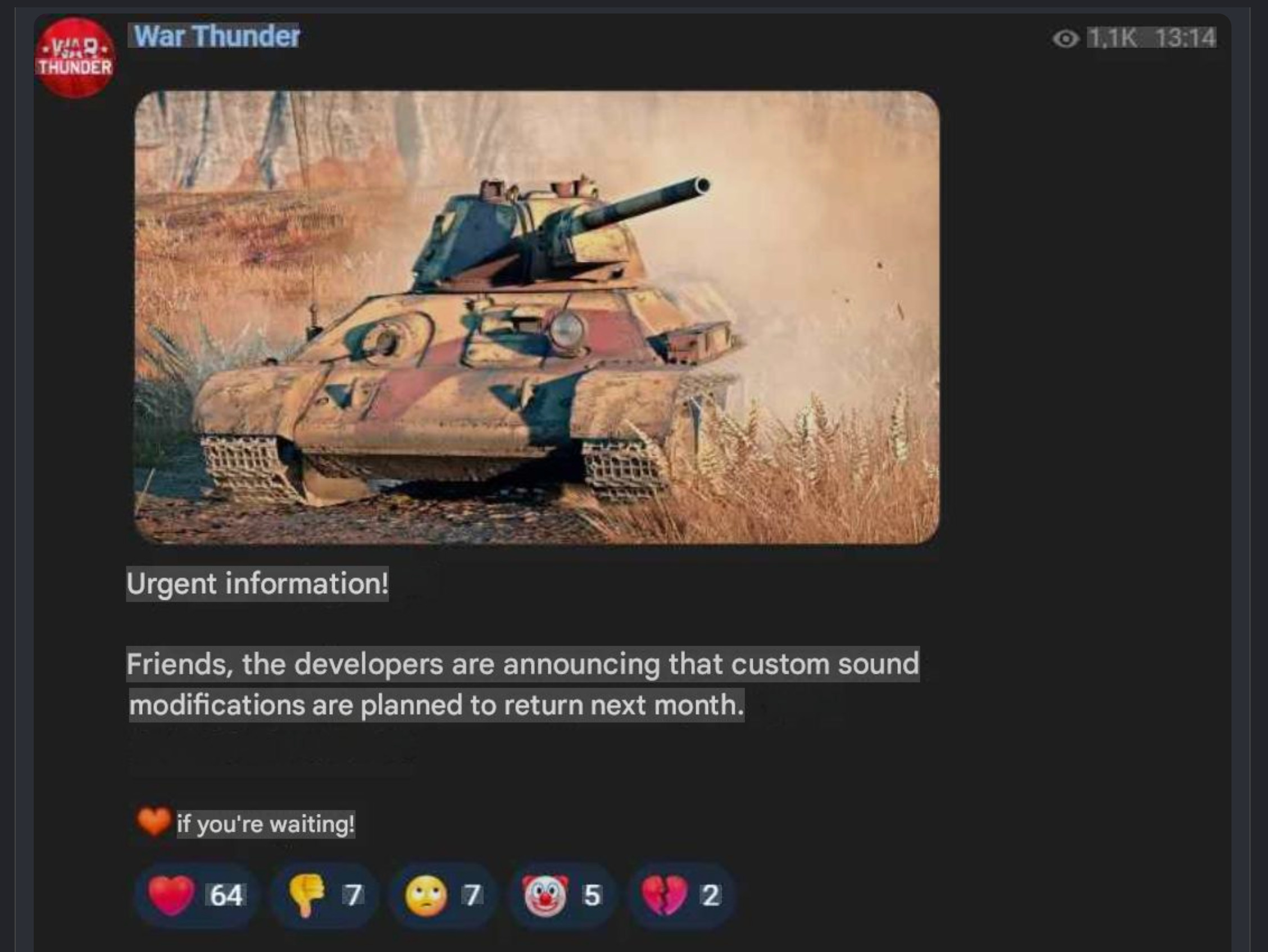
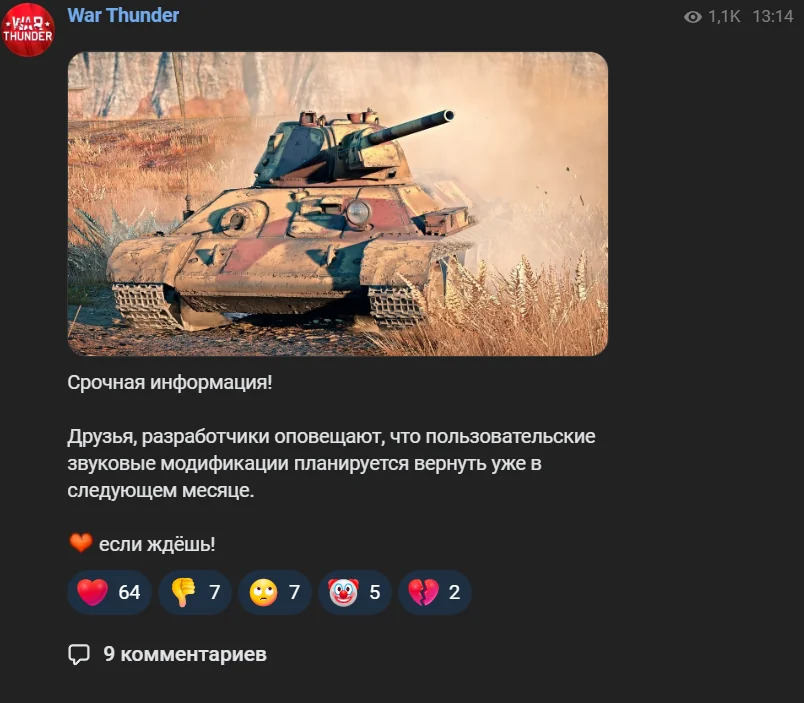
According to a post on social media, sound mods are expected to be back for War Thunder in May!
Translated screenshot:
Since Enlisted’s sound mod system is basically the same as used in War Thunder, and they are disabled together on the same day for the same reason, we can expect that the revival of sound mods would arrive at a similar time for Enlisted!
I will be making the guide for everyone to update their sound mods whenever that happens, if it is necessary!
Stay tuned to this post and/or join in our server for latest news and tips to work with sound mods in the future, as the sound mod system is said to be changed
Source image:
5 Likes
Update on Sound Mod Disable Status
Via: Enlisted Modders Community
Official War Thunder news has mentioned sound mods: Below is the extract from the launcher news capture sent to my server
Community Update No.11: Nuclear Escalation, Sound Mods & More
15 May 2026 / News Notifier v26.4.14
In March, we had to disable the use of sound mods after making changes to the audio engine, causing an increase in game crashes and other issues when sound mods were enabled. We fully understand the frustration this has caused to sound mod creators and players who use them, so rest assured we’re working every day on a solution to bring them back as soon as possible. Some good news here is that we plan to return the use of sound mods this month. We’ll let you know in a changelog, so please keep an eye out.
We really appreciate your patience regarding this.
Basically, nothing new but confirming the return of sound mods in this month.
5 Likes
War Thunder release candidate build 2.55.1.117 has new mentions to sound mod validation and assertion logic.
They are beginning to implement the new sound mod system.
1 Like
Will it be the same as before? Just copy and paste it into a folder in the game files?
1 Like
I believe yes, I currently do not see obvious pointers to that being changed (plus I don’t think it has to change)
The additional checks are not something end-users should be worrying about (unless you are also the creator/maintainer of the sound mod you use, like me)
Plus, i think it will remind you to update your sound mods whenever changes are to be introduced. It seems to be a quite capable and nice system.
Personally, I’ve converted all my audio files to FADPCM, so as far as I’m concerned, they’re all up to date.
1 Like
Well no, you need to update the .assets.bank files, you can’t just drop audio files into the folder…
If you need more information, please start a direct message with me, so this won’t be flooded by us going back and forth
1 Like
# Update on Sound Mod Disable Status
Sound mod is back in War Thunder “work-in-progress” client
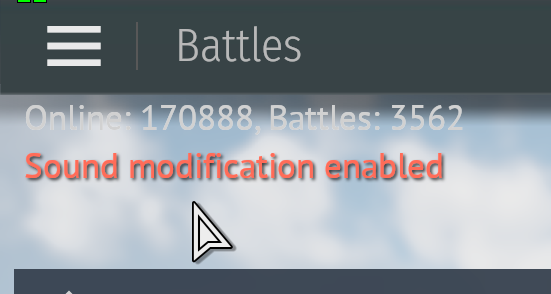
My War Thunder Sound mod is working!
1 Like
Hopefully this (third official this month) attempt at returning mods will stick. Very happy for them.
1 Like
We don’t really care much about WT, do we.
We want that to also apply to Enlisted
War Thunder patch is a test bed and i believe next major update of Enlisted will have sound mods back
I wonder if next major ‘Operation Neptune’ update release will coincide with IRL operation by June 6th.
Really getting tired of tinnitus simulator meanwhile.
2 Likes
No dev server this weekend though, so probably would be 1 week late
Annnnnnd its gone again, sad
1 Like
Sound mods are back for War Thunder
Hopefully it gets stable enough that it can be pushed to Enlisted as well soon
2 Likes
Good for them X2, I guess.
Why does the description for mod troubleshooting still the same as before mod disabling? Was nothing fixed again?
1 Like